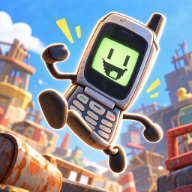
Stickers Give You Another Reason to Explore
Your route through the Trashlands can include more than climbing toward Jeff. Flipping is Hard stickers are one of the game's phone customization options, together with covers, charms, and accessories. For players who enjoy collecting cosmetics, that makes optional discoveries worth a closer look.
The official Flipping is Hard Steam description confirms stickers as a customization category. The developer's feature overview also links cosmetic rewards to exploration, challenges, and world-found codes. Neither description provides a full sticker checklist with exact locations.
How Cosmetic Rewards Are Unlocked
The official cosmetic unlock routes are hidden loot, NPC challenges, and redemption codes found in the world. That description applies to the overall customization system; it does not say which specific stickers come from which activity.
If you are looking for stickers, use those routes to organize what you investigate:
- Pay attention to hidden loot while exploring. A route away from the main climb may be worth checking when you are ready to risk the detour.
- Read optional NPC challenge instructions. The developer confirms that challenges can award cosmetics, giving you another reason to practice the movement they test.
- Record codes you actually discover. Note the resulting reward if you redeem one successfully, instead of assuming a cosmetic code must award a sticker.
This keeps a collection grounded in what your game shows. A confirmed cover reward, for example, does not identify a sticker unlock unless the reward display says so.
Tracking Stickers Without Mixing Up Rewards
When a new item appears, write down its displayed name, the area, and how you obtained it. For a challenge reward, note the NPC or activity; for a code reward, keep the exact code and the result. Those details let you retrace an unlock without mistaking a different cosmetic for the one you want.
To begin looking at phone customization, Tab opens the Phone OS on the keyboard. The developer lists skins among its functions. Follow the options in your version for individual cosmetic types: the available official text does not document a sticker-specific menu sequence, placement controls, or equip limit.
Stickers are presented as customization, with no sticker-related movement bonus specified in these descriptions. Choose a design because you like the look rather than expecting it to solve a difficult jump.
FAQ
Are there stickers in Flipping is Hard?
Yes. Both the developer's feature description and the Steam store description include stickers among the phone customization options.
Where do you get stickers?
Hidden loot, NPC challenges, and world-found codes are the official routes for cosmetic unlocks as a whole. The available overview does not identify a specific source for every sticker.
Do stickers make Flippy jump farther?
The official descriptions do not specify a sticker that increases jump distance. They introduce stickers as appearance customization.
Can I follow a demo checklist for the full game?
Treat it as a lead that needs checking against your installed version. An older demo checklist alone does not establish the full release's sticker inventory or reward locations.